
Introduction to your vendor dashboard
Access Your Vendor Dashboard
To Access your vendor dashboard Click here
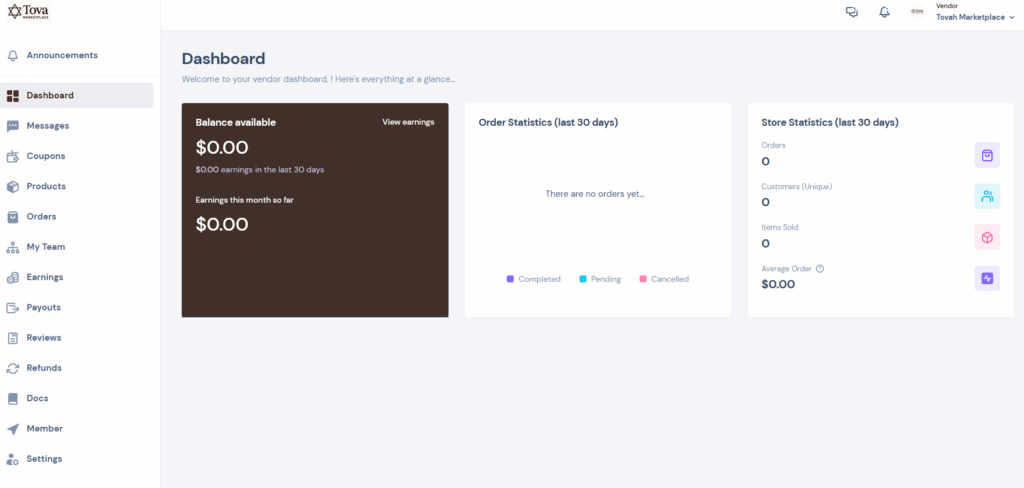
Here you will see your earning information, store statistics and have the ability to access all your vendor modules.
Learn How to Add a Product
You Can access the product Page here where you can see all your products.
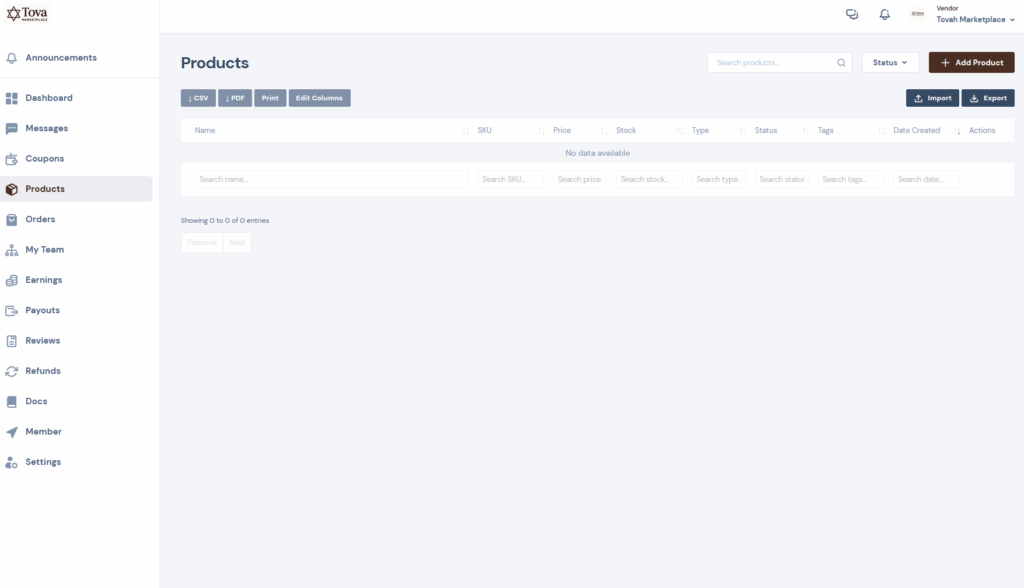
Click on the “Add Product” button to add a new listing
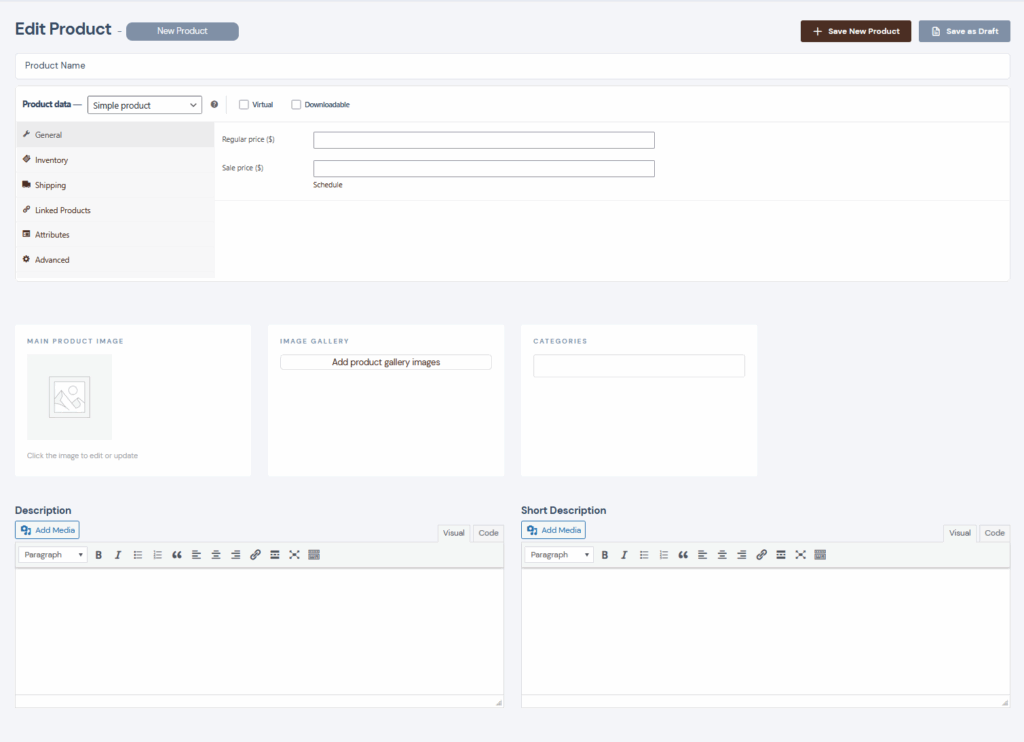
On the following page you can now add specific product details and track your inventory.
- Pricing: You can set your regular pricing and sale pricing. You can also schedule your sales from this section for individual products.
- Inventory: Set your SKU information and if you would like to track inventory for this product.
- Shipping: Set your product weight and dimensions.
- Linked Products: In this section you can offer promotional upsells and cross-sells.
- Product Images: Set your main product image & your image gallery. You can upload up to 7 images per listing.
- Description: Enter a short description which will be used to introduce your product and a long description which will be detailed in your product listing.